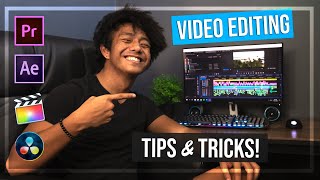
7 Adobe Premiere Pro Tips To Speed Up Your Editing
Channel: VidCon
Category: Entertainment
Tags: valentina vee youtubevidconfaster editingpremiere propremiere pro tutorialvideo editingadobe premiereadobe premiere prohow to edit faster in premiere proediting tipsvidcon nowvalentina vee editing tutorialspremiere pro tips
Description: Subscribe to VidCon: bit.ly/3mkk7YR Watch Creator to Creator: bit.ly/3t6eIri Editing doesn't have to complicated or take forever! @Valentina Vee shares her best Adobe Premiere Pro Tips that will speed up your editing workflow and make your content stand out on social media. What was your favorite tip? Comment below and check out the full session here: youtu.be/QL56D7CEasw *************** 0:00 Musical Intro 1:05 Tip 1: Create keyboard shortcuts 1:25 Tip 2: Use pancake editing to sync audio and video timelines 2:00 Tip 3: Use Looks in Lumetri color effect 2:45 Tip 4: Test your final video on your phone 3:25 Tip 5: Utilize Adobe Stock store for FREE motion graphic templates 5:00 Tip 6: Use the slip tool for quick edits 6:00 Tip 7: Giveaway for session attendees New sessions every week. See agenda: vidcon.com/now/agenda Register for VidCon Now: vidcon.com Discord: bit.ly/VidConNowDiscord Twitter: twitter.com/vidcon Facebook: facebook.com/vidcon Instagram: instagram.com/vidcon